Archive for the ‘ActionScript3 as3’ Category

ActionScript: Protect your Flash games on the web, sitelock all your games.

Share

If you want to submit your games on one game portals DO NOT UPLOAD YOUR GAMES WITHOUT A SITELOCK SCRIPT. WHY ? Your games can be “stolen” by game portals. Or if you didn’t finish your game it’s a really a “pain in the ass” to update your games spread on all the web. I [...]

Posted on Friday January 13th, 2012 at 03:29 PM by admin · Permalink · Leave a comment
Share

In: ActionScript3 as3, Tip · Tagged with: , , , , , ,

ActionScript: Good practices in Flash developement

Share

Here some tips and a list of good practices in Flash developement. These tips are usefull for coders and designers. Prepare your layers When you create a new .fla file prepare your layers like this : Add a new layers “Actions” on the top of the list. This layer will be dedicated to ActionScript. Then [...]

Posted on Tuesday November 15th, 2011 at 11:19 AM by admin · Permalink · Leave a comment
Share

In: ActionScript3 as3, Tip

ActionScript: Tutorial How to create a gravity like a Mario platformer

Share

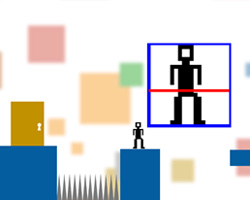
In this little tutorial you will learn how to create a gravity like a Mario platformer. Let’s start! Get files Save these 2 sprites (Right click > Save as) Open Flash and create a new ActionScript 3.0 document. Document properties: 24 fps, 550×400 by default. Create the Hero MovieClip Create a new Symbol: Insert > [...]

Posted on Wednesday February 2nd, 2011 at 02:21 PM by admin · Permalink · 7 Comments
Share

In: ActionScript3 as3, Game Design, Tip, Tutorial · Tagged with: , , , , , , , ,

ActionScript: Move an object with keyboard with absolute controls

Share

In this tip I will show you how to move an object with keyboard with absolute controls. See also how to move an object with keyboard relative-camera control. What is the absolute controls? The direction of your object will be calculated depending the object orientation. (Biohazard, Micro Machines, Gears of War). This code is very [...]

Posted on Tuesday February 1st, 2011 at 11:29 AM by admin · Permalink · Leave a comment
Share

In: ActionScript3 as3, Game Design, Tip, Tutorial · Tagged with: , , , , , ,

ActionScript: Move an object with keyboard with camera relative control

Share

In this tip I will show you how to move an object with keyboard with camera relative control. What is a camera relative control? The direction of your object will be calculated depending the camera position. (Mario 64, Uncharted, GTA 3, etc.). Eg: If press the right button the character will go on the right. [...]

Posted on Tuesday January 4th, 2011 at 04:22 PM by admin · Permalink · Leave a comment
Share

In: ActionScript3 as3, Game Design, Tip, Tutorial · Tagged with: , , , , , ,

ActionScript: Move an object to coordinates with smoothing

Share

There is a simple formula to move an object to coordinates with smoothing. The speed will decrease with smooth during the time. speed = distance_between_objects / smoothing The distance will decrease because the distance will decrease too. If I set values I got: object.x = 50 targetX = 100 speedX = (targetX – object.x) / [...]

Posted on Monday January 3rd, 2011 at 03:53 PM by admin · Permalink · Leave a comment
Share

In: Game Design, Tip, Tutorial · Tagged with: , , , ,

ActionScript: Launch a function after a delay with setTimeout

Share

There are different ways to launch a function after a delay: With the enter frame event; With the Timer class; With a motion tween; With the enter frame event and the getTimer() method; And with the setTimeout function (See setTimeout help on Adobe); How to master the setTimeout ? First of all you must create a [...]

Posted on at 02:35 PM by admin · Permalink · Leave a comment
Share

In: ActionScript3 as3, Tip · Tagged with: , , , , , ,

ActionScript: Throw bullets to mouse direction

Share

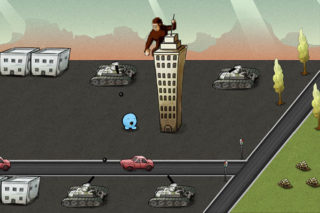
After calculating the angle of 2 graphic objects, you can also use this angle to throw a bullet to the object direction with the trigonometry. How ? Calculating the angle (in radian) between 2 graphics objects with the Math.atan2 method (cf. Orient object to the mouse cursor). On click, display a bullet to the “tank” [...]

Posted on Monday December 27th, 2010 at 12:50 PM by admin · Permalink · 6 Comments
Share

In: ActionScript3 as3, Game Design, Tip, Tutorial · Tagged with: , , , , ,

ActionScript: Detect collision between 2 circles

Share

With the Pythagoeran theorem you can detect collision with 2 circles. You just have to get the rays of 2 circles with the width property divided by 2. Actually the width property returns the diameter of the circle. So, you can calculte the ray like this: ray = diamter / 2 ray = circle.width / [...]

Posted on Friday December 3rd, 2010 at 11:02 AM by admin · Permalink · One Comment
Share

In: ActionScript3 as3, Game Design, Tip, Tutorial · Tagged with: , , , ,

ActionScript: Get distance between 2 MovieClips

Share

If you want to get the distance in pixels between 2 graphic objects just use the Pythagorean theorem in ActionScript :). c² = a² + b² Download source : Get_Distance.zip 12345function getDistance(pObj1:MovieClip,pObj2:MovieClip):Number {     var distX:Number = pObj1.x – pObj2.x;     var distY:Number = pObj1.y [...]

Posted on Thursday November 25th, 2010 at 03:09 PM by admin · Permalink · One Comment
Share

In: ActionScript3 as3, Game Design, Tip, Tutorial · Tagged with: , , , , ,